HelpTeam
Invite a teammate
A pending invite exists for an email address.
Owners and admins invite people from Settings. The invite is stored even when email delivery is not configured.
Steps
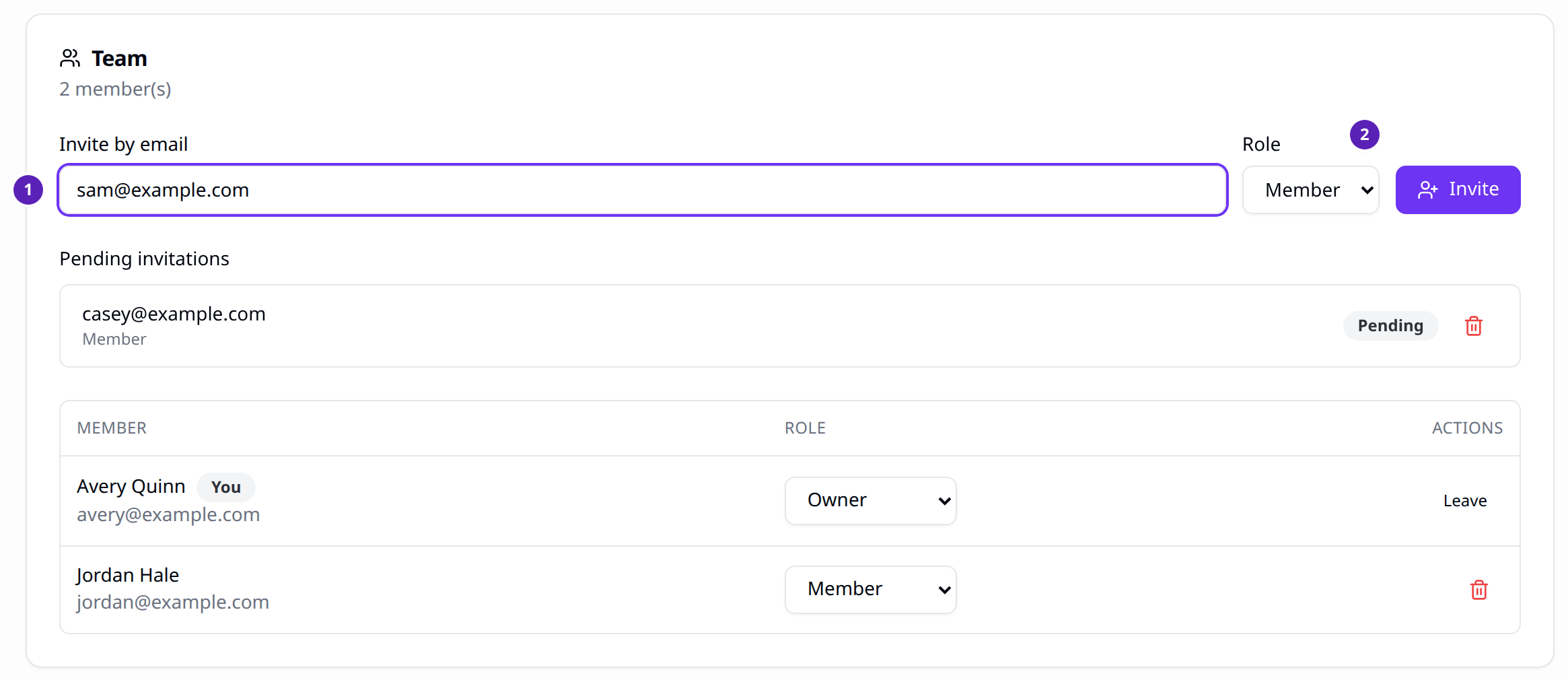
- Open Settings and find Team.
- Enter an email and a role.
- Choose Invite.
- When that person signs in with the same email, they join the organization.
Result
The address appears under pending invitations. You can revoke it before it is accepted.
Tips
- Seats include the owner. Free: 1. Starter: 1. Pro: 3. Agency: 10.
- An extra seat is $8 a month. The owner sets that quantity on an active paid subscription. Settings does not show a seat button.
- If email is not configured, the invite is kept and the message is written to the server log. It is not sent.