HelpBilling
Change your plan
Stripe Checkout or the customer portal opens for the owner.
Only the organization owner can change billing. Prices below are the amounts in the plan table.
Steps
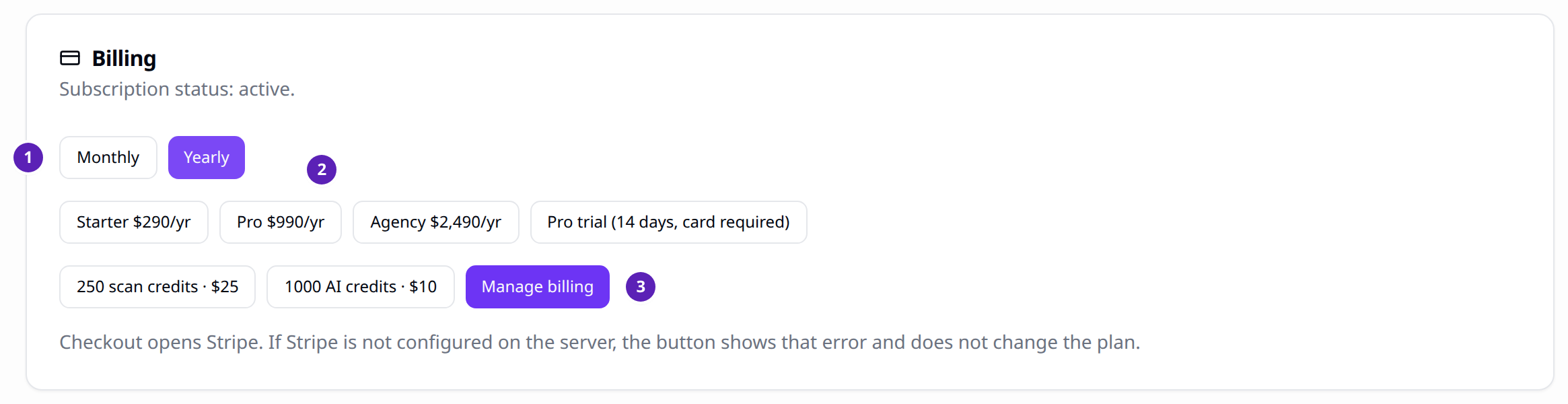
- Open Settings and find Billing.
- Choose Monthly or Yearly.
- Choose a plan, the Pro trial, a credit pack, or Manage billing if a Stripe customer already exists.
- Finish on the Stripe page. Pinhelm updates the plan when the webhook arrives.
Result
After a successful checkout, Settings can show "Checkout completed." The plan name changes when Stripe notifies Pinhelm. Canceling checkout leaves the plan as it was.
Tips
- Starter is $29 a month or $290 a year.
- Pro is $99 a month or $990 a year. The trial is 14 days and still requires a card.
- Agency is $249 a month or $2,490 a year.
- If the last invoice fails, the status becomes past due. The plan does not change. Update the card in the portal. Stripe retries the invoice.
- If Stripe is not configured, the button shows that error and does not change the plan.