HelpLocations
Add a location
A business appears in Profiles so you can rank and export it.
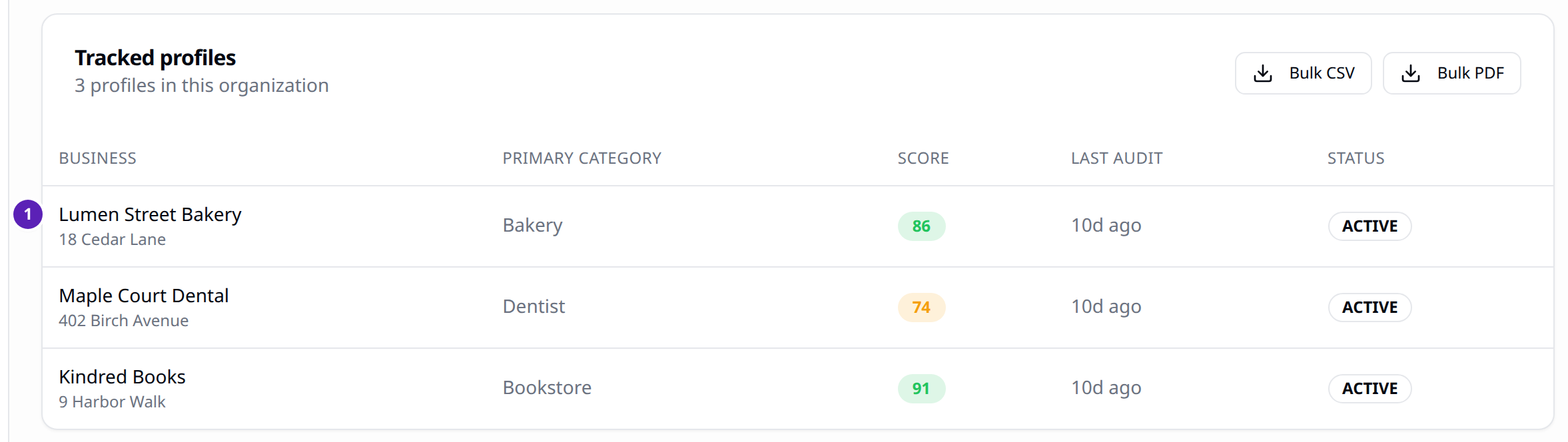
Profiles is the list of Google Business Profiles this organization tracks.
Steps
- Open Profiles.
- A saved location shows its name, category, audit score, and status.
- Open a row to see the profile, export a report, or share a client portal link on Agency.
Result
The location is available in the Profile menu on Rankings.
Tips
- The dashboard does not include an Add location form. Saving a profile from Google is the Chrome extension's job, and that extension is not in the store yet. See Chrome extension.
- Free can track 1 profile. Starter can track 1. Pro can track 10. Agency can track 40.
- Bulk CSV and Bulk PDF are on this page. The file is produced only on Agency. Other plans are refused with "Bulk export requires the Agency plan."